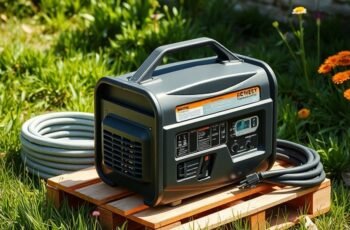
When it comes to maintaining a portable power station, proper cleaning is crucial for peak performance and safety. We recognize that keeping your device in top condition involves more than just surface wiping; it requires precise techniques to prevent damage and ensure longevity. By following proper procedures, you can avoid common pitfalls that lead to malfunctions. Let’s explore the necessary steps to effectively clean your power station without compromising its integrity or functionality.
Key Takeaways
- Power down and disconnect the device from all power sources before cleaning.
- Use a soft, damp microfiber cloth to wipe the exterior surfaces gently.
- Remove dust from vents and ports with compressed air or a soft brush.
- Avoid moisture exposure to internal components; do not open the device unnecessarily.
- Regularly inspect and clean ports and ventilation areas for optimal performance.
How to Prepare Your Portable Power Station for Cleaning
Before beginning the cleaning process, it’s essential to confirm the portable power station is completely powered down and disconnected from any charging sources. Proper preparation involves performing a battery calibration if recommended by the manufacturer, ensuring accurate readings and peak performance. Additionally, review storage tips to prevent battery degradation during periods of inactivity; this typically includes storing the device in a cool, dry environment with a partial charge. Removing external accessories and wiping down surfaces with a soft, damp cloth minimizes dirt buildup. Avoid exposing internal components to moisture. Proper preparation ensures the power station’s internal components remain unaffected during cleaning. Following these steps maintains battery health and overall functionality, setting a solid foundation for effective cleaning and long-term use.
Safety Tips Before You Start Cleaning Your Power Station
Ensuring safety is an essential step prior to cleaning your portable power station. First, disconnect the device from any power source to prevent accidental activation. Handling power surges is critical; make certain that the station is fully powered down and unplugged to avoid electrical shock. Always use protective gear, such as insulated gloves and safety glasses, to safeguard against potential electrical hazards or debris. Confirm that the internal components are de-energized before opening or touching any circuitry. Avoid working in wet or damp environments, as moisture increases the risk of short circuits. By strictly adhering to these safety protocols, we minimize the risk of electrical injury and damage, creating a safe environment for effective cleaning.
Cleaning the Exterior: Removing Dust and Dirt Safely
To clean the exterior of a portable power station, we recommend using soft, non-abrasive tools such as microfiber cloths to prevent surface damage. It’s vital to avoid excess moisture; a lightly damp cloth is sufficient for removing dust and dirt effectively. Properly controlling moisture levels ensures electrical components remain protected during cleaning.
Use Gentle Cleaning Tools
When cleaning the exterior of a portable power station, it’s essential to use gentle cleaning tools to prevent damage. Soft microfiber cloths are ideal for surface protection, as they effectively lift dust and dirt without scratching delicate surfaces. Avoid abrasive scrubbers or harsh brushes, which can compromise the device’s integrity. For stubborn grime, use a slightly dampened cloth with a mild cleaning solution, ensuring the cloth remains only lightly moist. Employing appropriate cleaning tools preserves the station’s finish and prevents scratches that could expose internal components. Proper selection of cleaning tools maintains the power station’s durability and functionality, ensuring it continues to operate safely and efficiently over time. Surface protection is key during this process.
Avoid Excess Moisture
How can we safely remove dust and dirt from the exterior of a portable power station without risking damage? The key is to prevent excess moisture exposure during cleaning. Use a dry, microfiber cloth to wipe surfaces, avoiding sprays or liquids directly on the unit. If necessary, slightly dampen the cloth with distilled water, ensuring minimal moisture. Moisture prevention is critical to avoid internal damage or corrosion, so always dry the surface thoroughly afterward. Maintaining ideal humidity control in the cleaning environment reduces the risk of condensation forming on sensitive components. Additionally, avoid cleaning in humid conditions; a dry, well-ventilated space ensures dust removal without introducing moisture. Precise moisture management preserves the power station’s longevity and operational safety.
How to Clean the Ventilation Areas and Prevent Overheating
To prevent overheating, we begin by removing dust and debris from the ventilation areas using compressed air or a soft brush. Next, we inspect the ventilation openings for blockages or damage that could impair airflow. Ensuring these areas are clear maintains proper cooling and extends the device’s lifespan.
Remove Dust and Debris
Regularly removing dust and debris from the ventilation areas of your portable power station is crucial to prevent overheating and guarantee peak performance. Dust accumulation can obstruct airflow, reducing cooling efficiency and risking component damage. For effective debris removal, follow these steps:
- Use compressed air to dislodge dust from vents, holding the can upright and short bursts to avoid moisture buildup.
- Gently brush away surface debris with a non-static, anti-static brush to prevent static discharge.
- Wipe accessible surfaces with a microfiber cloth to remove residual dust, ensuring no particles settle inside the vents.
Consistent debris removal maintains ideal airflow, minimizes dust buildup, and prolongs your power station’s lifespan. Proper cleaning prevents thermal stress and helps sustain reliable operation.
Check Ventilation Openings
Have you checked the ventilation openings recently? Ensuring proper ventilation efficiency is vital to prevent overheating. Dust accumulation around vent areas can obstruct airflow, reducing the power station’s cooling capacity. We recommend inspecting all ventilation openings visually for blockages or debris. Use a soft brush or compressed air to remove any dust buildup, paying close attention to tight corners and grill screens. Avoid using liquids or abrasive tools, as these may damage internal components. Consistent cleaning maintains ideal airflow, which is imperative for preventing thermal stress and prolonging device life. Regularly monitoring and clearing dust from ventilation areas ensures the power station operates safely and efficiently, reducing the risk of overheating and hardware failure.
Cleaning the Power Buttons and Ports Without Damage
When cleaning the power buttons and ports of a portable power station, it’s essential to avoid applying excessive pressure or using abrasive materials that could cause damage. Use appropriate cleaning accessories like soft brushes, microfiber cloths, and compressed air. Carefully remove dust and debris without forcing entry, as improper techniques can impair functionality.
To guarantee maximum performance, consider these steps:
To ensure optimal performance, follow gentle cleaning and proper storage practices to keep ports and buttons dust-free and functioning smoothly.
- Gently dip a microfiber cloth in isopropyl alcohol for cleaning surfaces, avoiding excess moisture.
- Use compressed air to dislodge particles from ports, maintaining a safe distance.
- Implement proper storage techniques to prevent dust accumulation, keeping ports and buttons clean over time.
These methods help maintain device integrity without risking damage.
Maintaining the Batteries and Internal Components
Proper maintenance of the batteries and internal components is essential for guaranteeing the longevity and reliable performance of your portable power station. To maximize battery longevity, regularly monitor charge levels and avoid deep discharges, which can degrade internal circuitry. Keep the internal circuitry free from dust, debris, and corrosion by carefully inspecting and cleaning with non-conductive tools and appropriate electronic cleaners. Ensure cooling vents are unobstructed to prevent overheating, which can damage internal components. Use manufacturer-recommended procedures for recalibration and firmware updates to maintain peak efficiency. Proper handling during storage and use minimizes stress on the battery cells and internal circuitry, preventing premature failure. Consistent, precise maintenance safeguards your power station’s performance and extends its operational lifespan.
Tips for Keeping Your Power Station Looking New Over Time
To maintain your portable power station’s appearance over time, regular cleaning and protective measures are essential. Proper care preserves battery lifespan and optimizes charging efficiency.
Regular cleaning and protection keep your power station looking new and performing at its best over time.
- Clean exterior surfaces with a soft, damp cloth weekly to prevent dust buildup, which can impair cooling and internal components.
- Use protective covers when not in use to shield against moisture, dirt, and UV exposure, reducing corrosion and discoloration.
- Ensure vents and ports are free of debris to maintain optimal airflow, preventing overheating that can degrade internal circuits and reduce battery longevity.
Consistent upkeep minimizes corrosion, preserves the power station’s aesthetic, and sustains performance. These measures help ensure your device remains reliable, efficient, and looking new over time.
Troubleshooting Common Cleaning Issues and When to Seek Professional Help
Despite careful maintenance, cleaning issues can still arise that compromise the functionality or appearance of your portable power station. If you notice irregular battery calibration or inconsistent power output after cleaning, it may indicate internal sensor misalignment requiring professional assessment. Similarly, exposure to moisture or debris can interfere with internal circuits, affecting software updates or causing operational glitches. When such issues persist despite proper cleaning, it’s best to seek professional help to avoid further damage. Technicians can recalibrate the battery system accurately and perform firmware updates to restore peak performance. Avoid attempting complex repairs yourself, especially if internal components seem compromised. Regular professional servicing ensures your power station functions reliably and maintains its lifespan, especially when dealing with sensitive electronics and software-related issues.
Frequently Asked Questions
Can I Use Harsh Chemicals to Clean My Power Station?
We advise against chemical cleaning products for surface maintenance of your power station, as harsh chemicals can damage components. Instead, use a damp cloth with mild soap for safe, effective cleaning and to preserve device integrity.
How Often Should I Clean My Portable Power Station?
We recommend cleaning our portable power stations every three to six months, depending on usage. Regular maintenance schedule checks with appropriate cleaning tools guarantee peak performance, preventing dust buildup and extending the device’s lifespan effectively.
Is It Safe to Clean the Internal Components?
Yes, it’s safe to clean internal dust and external stains if we power off and disconnect the unit, using compressed air for internal parts and a damp cloth for external surfaces, avoiding moisture near sensitive components.
What Should I Do if the Power Station Gets Water Inside?
If water enters your power station, immediately disconnect it and avoid turning it on. Conduct an internal inspection for water damage, dry all components thoroughly, and consult a professional technician before attempting further use to prevent damage.
Can Cleaning Damage the Battery Life or Warranty?
Studies show improper maintenance reduces battery lifespan by up to 30%. We understand that battery maintenance and cleaning precautions are essential; aggressive cleaning can damage internal components, potentially voiding warranties. Always follow manufacturer instructions carefully.
Conclusion
Regular cleaning extends the lifespan of your portable power station by up to 30%, ensuring peak performance. By following proper procedures—powering down, gentle exterior cleaning, and careful maintenance—you can prevent damage and overheating. Consistent upkeep not only preserves its appearance but also safeguards internal components. Staying proactive with maintenance helps avoid costly repairs and downtime, making your investment more reliable. Proper cleaning practices are essential for maximizing efficiency and longevity in this increasingly crucial technology.